Personal wedding invitation links: one for each household, and how to send them
The short answer
When you add a household to your Occasi guest list, it gets its own link. That link opens the invitation at their name, with only the events they’re invited to and the right number of places. Send it by WhatsApp, email or your own phone, or print it as a QR card.
A personal link is the invitation made out to one household. Nobody has to search for their name, and nobody sees an event they weren’t asked to.
What does a personal invitation link open?
Your invitation, at the household’s name. They see the events you’ve invited them to and reply for the people in their party, up to the number of places you gave them. Replies event by event shows what that looks like for a weekend.
How do you send each guest their link?
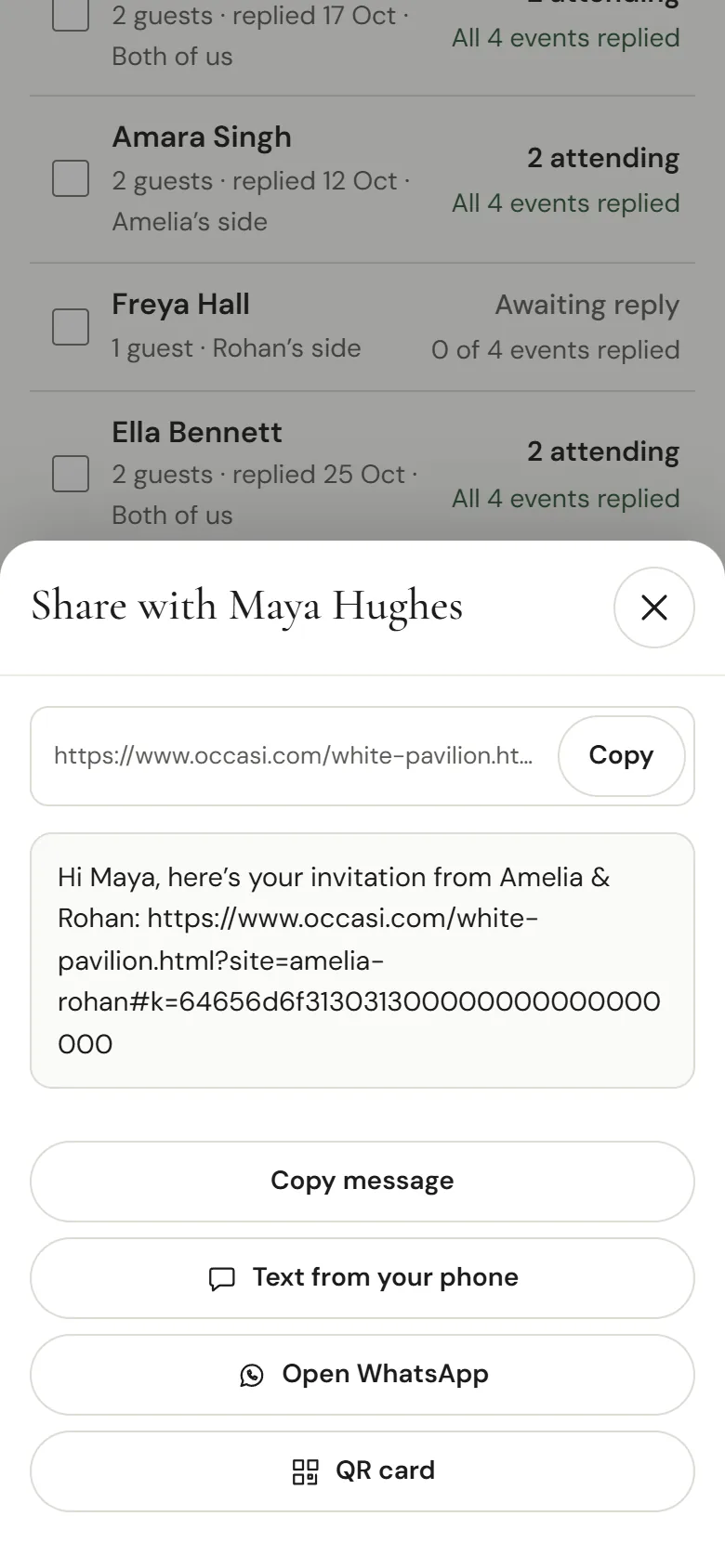
In Guests, open a household and tap Share. You’ll find:
- Copy for the link on its own.
- A message ready to send, such as “Hi Maya, here’s your invitation from Amelia & Rohan”, with the link at the end. Copy it, or open WhatsApp with it filled in.
- Your own phone’s messages app, if that’s how you usually talk to them.
- A QR card to print or show on your phone, for anyone who’d rather scan than tap.
What if a link gets forwarded?
Ask guests to keep their link to themselves, because it replies for their household. If one does spread, open the household and choose “Make a new personal link”. The old link stops working straight away, and you send the new one.
Personal link or shared link: which suits your wedding?
A shared link is the same for everyone, so guests type their name to find themselves. It suits a single party with an open guest list. For a wedding with more than one event, or limited places, personal links keep each household to what you’ve planned for them. How it works shows the steps, from adding households to sending their links.
Questions couples ask
Do guests need an account or an app?
No. The link opens in their phone’s browser.
Can we send links before the invitation is finished?
You can send a save-the-date card first. The same link turns into the invitation later.
What if a guest loses their link?
Open their household in Guests and share it again. It’s the same link until you make a new one.