The guest’s Pass: a wedding app for your guests, with nothing to download
The short answer
The Occasi Pass gives each household their own wedding guide on their phone once they reply: their events in order, what to wear, their table, a map with directions and your gift list. It opens from their personal link, so there’s no app to download and no account. It comes with The Occasi Pass, and you can add it to any design.
Guests ask the same five things before a wedding: when, where, what to wear, where am I sitting and how do I get there. The Pass answers all five on their phone, and only for the events they’re invited to.
What does the Pass show a guest?
Five tabs along the bottom of the screen.
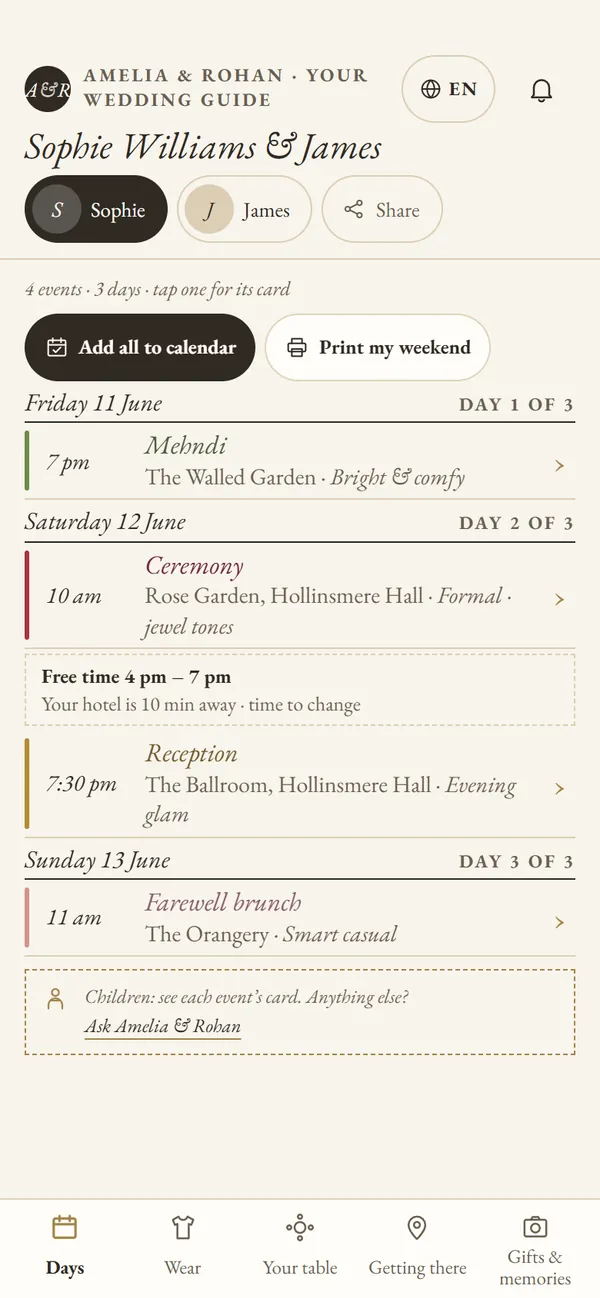
- Days: their events in order, with times, places and dress codes. When a household has more than one person, each gets their own tab.
- Wear: the dress code and colours for each event.
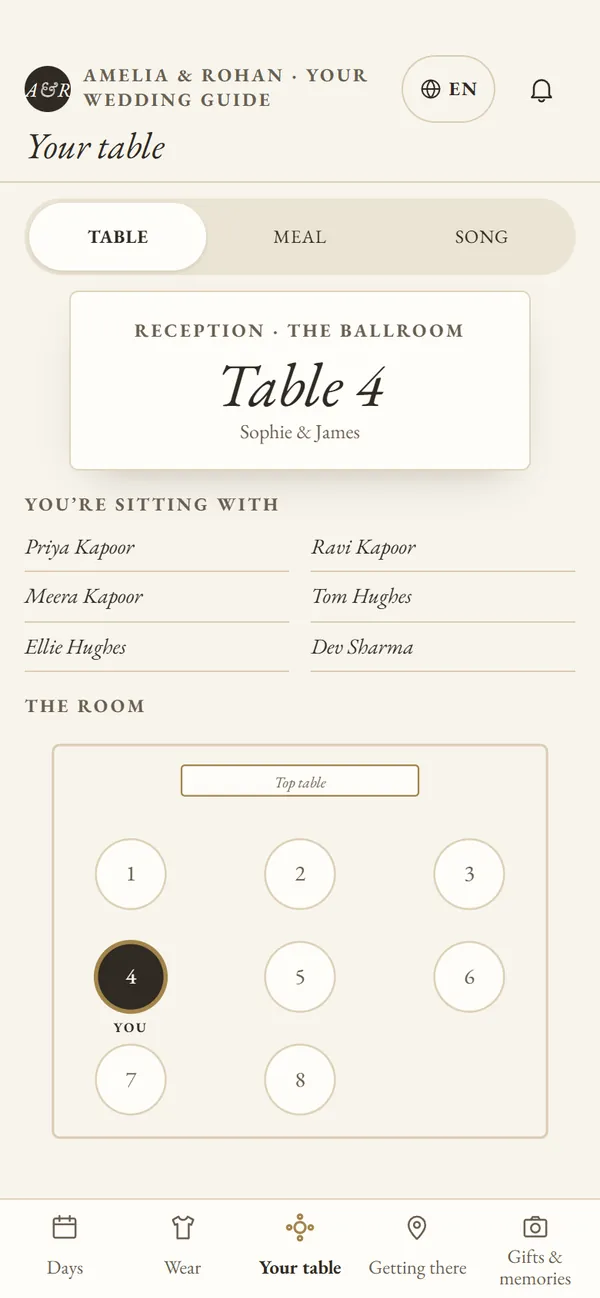
- Your table: their table, who they’re sitting with and a plan of the room. They can also see their meal and suggest a song.
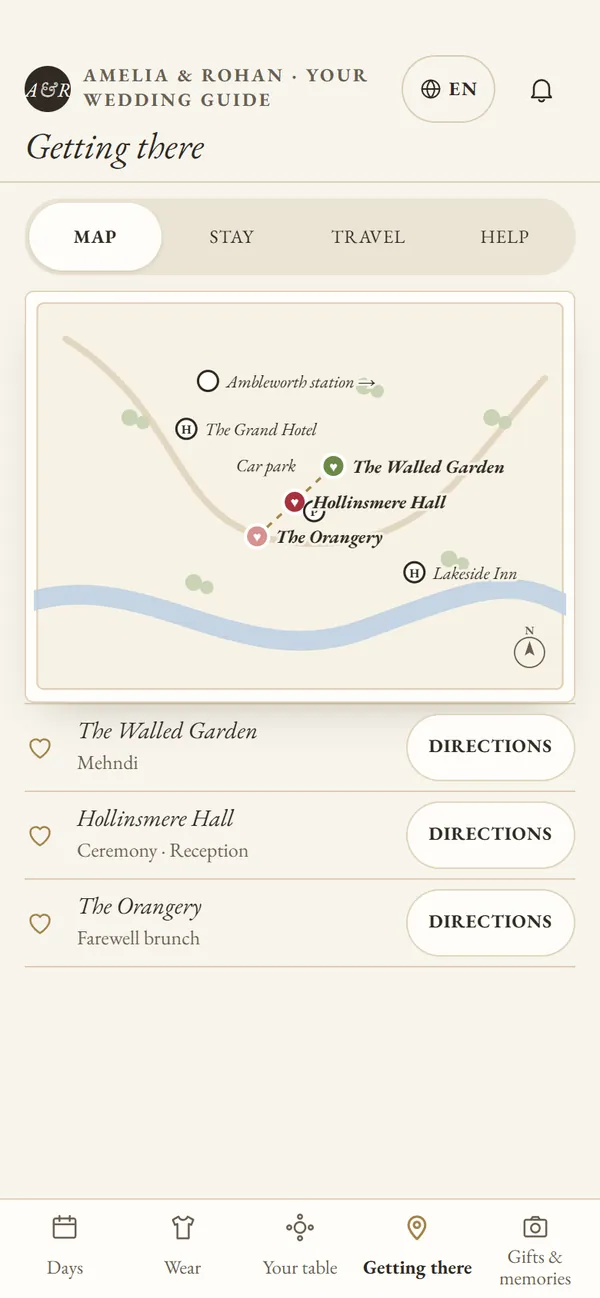
- Getting there: a drawn map of your places, directions to each one, places to stay and travel notes.
- Gifts & memories: your gift list link and a way to send you a note.
The bell at the top holds your updates. When you post one, such as a new start time, guests find it there. There’s more on that in changing details after the invitations have gone.
When does a guest’s table appear?
Only once you’ve confirmed your seating plan in your dashboard. Until then nobody sees a half-finished plan. Planning the tables has more on seating.
What can guests do on the Pass?
Whatever you switch on. They can change their meal until a date you choose, send you a note, ask a question or ask for a high chair or booster seat. Everything they send lands in your dashboard. You can also let guests change their own reply until your reply-by date, through their own link only.
Do guests have to download an app?
No. The Pass opens in their phone’s browser from their own link. They can add it to their home screen so it sits with their apps, and “Add all to calendar” puts their events into their phone’s calendar. “Print my weekend” makes one page they can stick on the fridge, which older relatives tend to like. If you offer more than one language, the button at the top switches it.
Which designs come with the Pass?
The White Pavilion, Sugar Bloom and The Tunnel Book come with it. Any other design can have it too: choose The Occasi Pass when you publish, or add it later from Home. Each Pass is drawn in its design’s own style. See all the designs, or what each package includes.
Questions couples ask
Does each guest only see their own events?
Yes. The Pass shows only the events their household is invited to. Inviting guests to some events, not others explains how to set that up.
What if a guest loses their link?
Copy it from their details in your dashboard and send it again.
Can we see the Pass before guests do?
Yes. Preview it from your dashboard, or try the sample dashboard first. Nothing in the sample is saved or sent.